

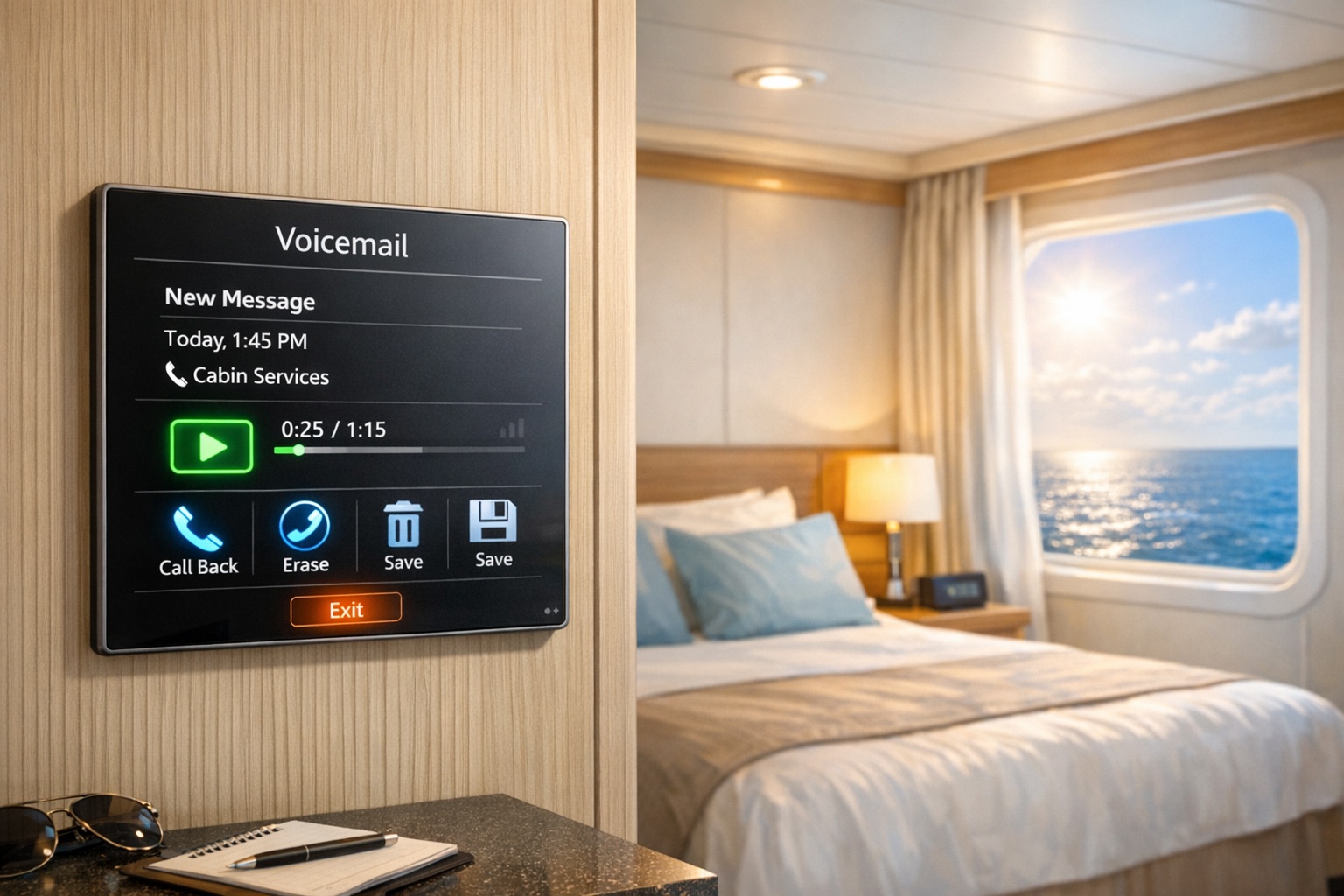
Cruise ship voicemail systems are designed to keep you connected and informed throughout your trip. From receiving important updates to managing messages conveniently, these systems integrate with onboard services and modern technology to enhance your experience. Here’s what you need to know:
- Message Storage: Voicemails are stored only during your trip and cleared upon disembarkation for privacy.
- In-Stateroom Playback: Phones feature message indicators and keypad commands for easy voicemail management.
- Multilingual Options: Supports over 100 languages, allowing personalized greetings and full menu access in your preferred language.
- App-Based Access: Check voicemails directly from your smartphone using the cruise app, with push notifications for new messages.
- Service Integration: Syncs with dining, spa, and other reservations for timely updates.
- Security: PIN protection and encryption ensure message privacy.
- Remote Access: Retrieve messages offboard via app or dial-in methods.
These features ensure you stay connected whether onboard or ashore, making communication simple and efficient during your cruise.
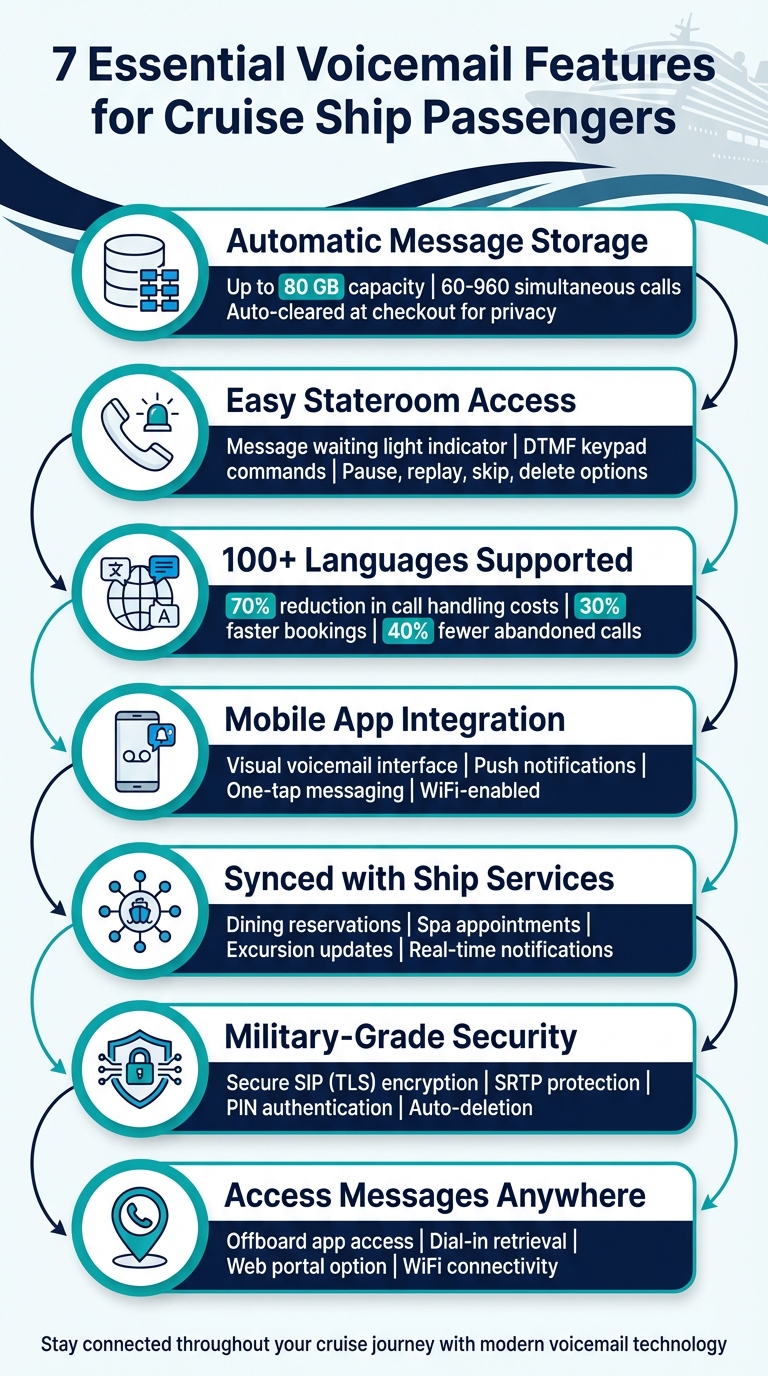
7 Essential Voicemail Features for Cruise Ship Passengers
1. Message Storage and Retention
Cruise ship voicemail systems are designed to handle high volumes efficiently, offering unlimited mailboxes and up to 80 GB of storage. Depending on the system’s size, they can manage between 60 and 960 simultaneous calls.
Voicemails are stored only for the duration of your cruise. Once your trip ends, the system – integrated with the ship’s Property Management System (SPMS) – automatically clears your mailbox upon check-out. This ensures that your privacy is maintained for the next guest.
"Cruise VoiceMail is seamlessly integrated with each cruise line’s check-in/out procedures to ensure these shipboard operations are efficient." – CTModule
You can manage your voicemails conveniently from your stateroom phone by saving or deleting individual messages. Alternatively, you can use a web interface at the reception desk or the cruise line’s app. These tools display caller information and message length, helping you prioritize which voicemails to address. These features work hand-in-hand with other onboard communication systems, adding to the ease and enjoyment of your cruise.
sbb-itb-bda822c
2. Playback Options in Staterooms
Your stateroom phone works much like a hotel phone, featuring a message waiting light that either flashes or stays on when you have a new voicemail. The system relies on DTMF keypad commands, allowing you to pause, replay, skip, or delete messages as needed. Since keypad commands can differ between cruise lines, it’s a good idea to check the Ship’s Directory in your stateroom for specific instructions. You can also tweak playback settings for a better listening experience.
To adjust the volume while listening to a voicemail, use the physical volume buttons on your phone’s handset or base unit. On ships equipped with Cisco XML-enabled phones, you might have access to on-screen menus that make navigating your voicemail even easier. Some cruise lines also provide a web-based interface at the reception desk, allowing for visual message management.
While listening to internal voicemail is free, making ship-to-shore calls can be expensive. For example, Carnival charges $1.99 per minute, while Holland America rates go up to $7.95 per minute .
3. Multilingual Support
Cruise voicemail systems now cater to over 100 languages, making them accessible to a global audience. Setting up voicemail is straightforward, using ISO codes like "en" for English, "es" for Spanish, or "fr" for French, with English as the default option. This broad language coverage complements the user-friendly design mentioned earlier.
What makes these systems even smarter is their ability to adapt to cultural differences – like understanding idioms, context, and regional variations. Some advanced setups even greet callers in their preferred language by using data from caller profiles or cabin information. For instance, Costa Cruises uses GlobalLink technology to tailor its digital content into 12 languages across 20 markets. Similarly, Royal Caribbean employs GlobalLink Applanga for real-time localization of their mobile app.
The benefits of multilingual support go beyond convenience. It can slash call handling costs by up to 70%, speed up bookings by 30%, and reduce abandoned calls by 40%. Passengers also enjoy the option to record personalized greetings and access a full voicemail menu in their chosen language, enhancing their overall experience.
4. App-Based Voicemail Access
Cruise communication has taken a leap forward, allowing passengers to check their voicemail right from their smartphones or tablets. No need to return to your stateroom – just connect your device to the ship’s WiFi network and use the cruise line’s official app. These apps feature a visual voicemail interface, neatly organizing messages in a list for easy access and management.
By integrating with the ship’s PBX system, these apps work seamlessly alongside traditional stateroom phones. Passengers can view their messages on-screen, then tap to play, delete, or organize them in any order. Some apps even include a patented "one-tap" feature, making it simple to record and send voice messages with just a single press.
"NT Maritime’s robust technology allows guests to enjoy a cruise vacation with the ability to enjoy communication and connectivity among friends and family on their cruise just as they would if they were on a land-based vacation." – NT Maritime
Push notifications make this system even more convenient, ensuring you’re alerted to new messages no matter where you are on the ship. Plus, the app syncs with the ship’s management system, so your voicemail inbox is ready to go from the moment you check in until your trip ends. To avoid any delays, it’s a good idea to download your cruise line’s app before boarding.
Thanks to advanced maritime technology, these apps deliver reliable performance throughout your journey. You can manage your messages from anywhere on the ship, eliminating the need to rely solely on stateroom phones. This modern approach keeps passengers connected and informed, offering a level of convenience that complements the freedom of cruising.
5. Integration with Ship Services
Modern voicemail systems now work seamlessly with SPMS (Shipboard Property Management Systems) to deliver instant notifications for dining, spa appointments, excursions, and other guest services. By syncing with platforms like Oracle Hospitality Cruise SPMS, these voicemail systems automatically update guests about reservations and appointments across all onboard services. This centralized connection simplifies communication, ensuring guests stay informed throughout their journey.
The system operates through the ship’s SIP network, connecting directly to stateroom phones, mobile apps, and crew devices. For instance, if you book a specialty dining experience or schedule a spa treatment, you’ll receive an automatic voicemail reminder or a push notification. And if a restaurant is fully booked, the system can alert you the moment a table becomes available.
Each service operates on its own dedicated channel, allowing for efficient management. Concierge teams can track guest comfort requests, while catering staff handle meal planning and dietary preferences – all through the same integrated platform. This setup ensures that messages, such as housekeeping requests, are sent directly to the right department, cutting down on unnecessary follow-ups.
Cruise lines can also use Open Applications Management to customize notifications, like real-time weather updates, without interfering with existing communication channels. These added features ensure guests receive timely and relevant updates throughout their trip.
With NT Maritime’s integrated communication solutions, every voicemail notification ties directly to onboard services, making it easier for passengers to enjoy a hassle-free cruise experience.
6. Security and PIN Protection
Beyond the ease of onboard integration, voicemail systems on cruise ships prioritize passenger privacy with strong security measures. These systems rely on secure PIN codes and automatic message deletion to protect your information. When you check in, a secure mailbox is created and linked to your reservation. Once your trip ends, all messages are erased to ensure no one else can access them after your departure.
To safeguard voice data, modern systems employ Secure SIP (TLS) and SRTP encryption – the same protocols used in military-grade systems to defend against cyber threats. These encryption methods add an extra layer of protection, ensuring that only authorized users can access the system.
The ship’s communication platform also incorporates advanced rights management and single sign-on (SSO) to control feature access. For example, accessing voicemail through a cruise line’s app requires secure login credentials. Some apps, like Carnival HUB ($5 one-time fee) or Royal Caribbean ($1.99 per day), charge for this service. This added layer of authentication ensures your messages remain private.
"Pursuant to the United States’ Stored Communications Act (the SCA), We may be considered a provider of electronic communication services for certain services We offer through the Digital Platforms… In such instances, We will not turn over records or other information pertaining to you unless compelled to do so by a Court of competent jurisdiction." – Royal Caribbean Group
For added security, change any default PIN assigned at check-in to a unique code immediately. If you lose your room key or wearable device (like a Medallion), notify the reception desk right away. These items are connected to your communication services, and deactivating them promptly helps maintain your privacy and security.
7. Remote Voicemail Access
Staying connected while on a cruise doesn’t have to stop when you step off the ship. Thanks to remote voicemail access, you can check your stateroom messages even when ashore, using either the cruise app or a dial-in method.
With NT Maritime’s "Ship PBX to App" integration, you can access your voicemail offboard with ease. Simply download the app while onboard and sync it to your profile. Once you’re in port, connect to a local Wi-Fi network – like the one at a nearby café or restaurant – to listen to your messages without racking up cellular roaming charges.
Prefer the old-school approach? You can also retrieve messages by calling your stateroom number from an external phone. When the voicemail greeting begins, press either the * or # key to enter your PIN. Just make sure you set up your PIN before leaving the ship, as most systems won’t allow remote access without it. Keep in mind, though, that these calls might come with hefty charges.
To avoid roaming fees altogether, switch your phone to airplane mode and enable Wi-Fi only. Some cruise lines also provide a web-based option, allowing you to log into the ship’s guest portal from any browser to manage and listen to your voice messages. For specific details, check with guest services to confirm which remote access options are available on your ship and whether the system uses the star or pound key for dial-in access.
These remote voicemail features make sure you’re always connected, whether you’re relaxing in your stateroom or exploring the port. It’s all part of creating a seamless communication experience for cruise passengers.
Conclusion
Voicemail features play a key role in enhancing the cruise experience, ensuring passengers stay informed without missing important updates. With capabilities like message storage, multilingual options, app-based access, and remote retrieval, modern voicemail systems align perfectly with today’s communication needs.
What’s even more impressive is how these systems integrate with onboard services. Whether it’s a message from housekeeping, a dining update, or a service notification, voicemail keeps guests connected to everything they need for a smooth and enjoyable vacation. Crew members can leave personalized updates, ensuring everything from dinner reservations to special requests is handled efficiently.
NT Maritime powers these advanced communication systems, offering cruise lines the tools to deliver everything from quick voice messages to staying in touch with loved ones via video messages. With high-speed connectivity and a BYOD (Bring Your Own Device) approach, these systems make communication onboard flexible, seamless, and cost-effective – even in the middle of the ocean.
FAQs
How do I check my voicemails after leaving the cruise ship?
You can check your voicemails using the NT Maritime passenger app. Just log in on your smartphone or tablet, and with an internet connection after leaving the ship, you can stream or download any saved messages.
This handy tool helps you stay in touch and ensures you won’t miss any important updates, whether you’re sailing or enjoying time on shore.
What languages are available for the cruise voicemail system?
The cruise voicemail system is built to cater to passengers from various backgrounds by providing support in multiple languages. Commonly available options include English, Spanish, French, and German, though the exact languages offered can differ by cruise line. To find out which languages are available on your specific cruise, reach out to the onboard communication team or contact your cruise provider directly.
How does the cruise voicemail system protect my messages and ensure privacy?
The cruise voicemail system prioritizes privacy and security to protect passengers’ messages. Voicemail recordings are encrypted both during storage and while being transmitted, ensuring that only those with proper authorization can access them. Each passenger sets up a unique PIN or password when activating their voicemail, adding an extra layer of protection against unauthorized access.
This system operates within a secure onboard communication network, utilizing advanced defenses such as firewalls and network segmentation to safeguard data. Regular security audits and constant monitoring are in place to identify and prevent any potential threats. These measures ensure compliance with stringent data protection standards, giving passengers peace of mind that their messages remain secure throughout their trip.